Product Walkthrough

See how a job flows
start to finish.

From the first inspection to the final sign-off — here's exactly how Maintainr works in your shop.

Request a Demo
Form Builder
1
Form Builder

Build forms that match the way your shop works.

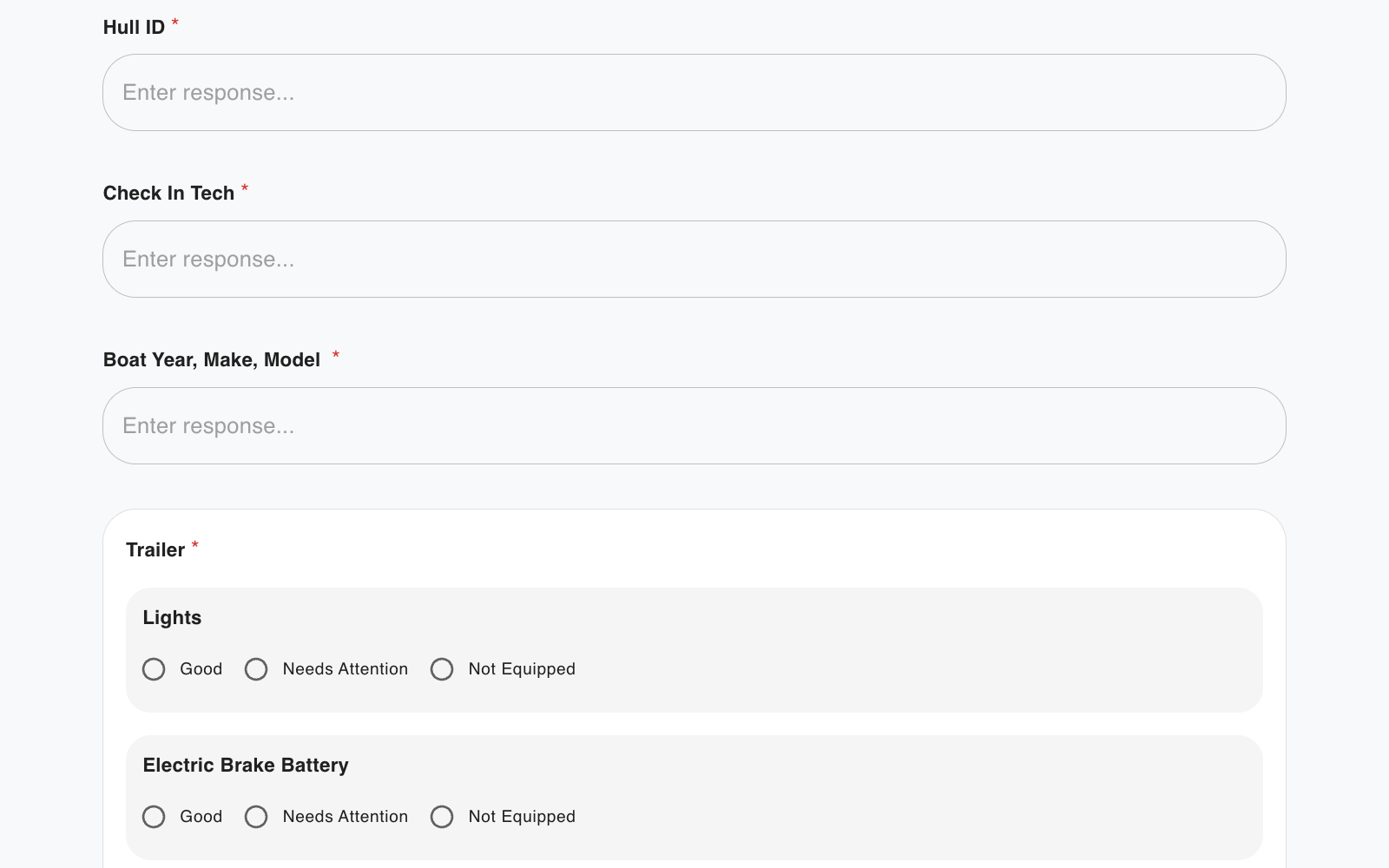
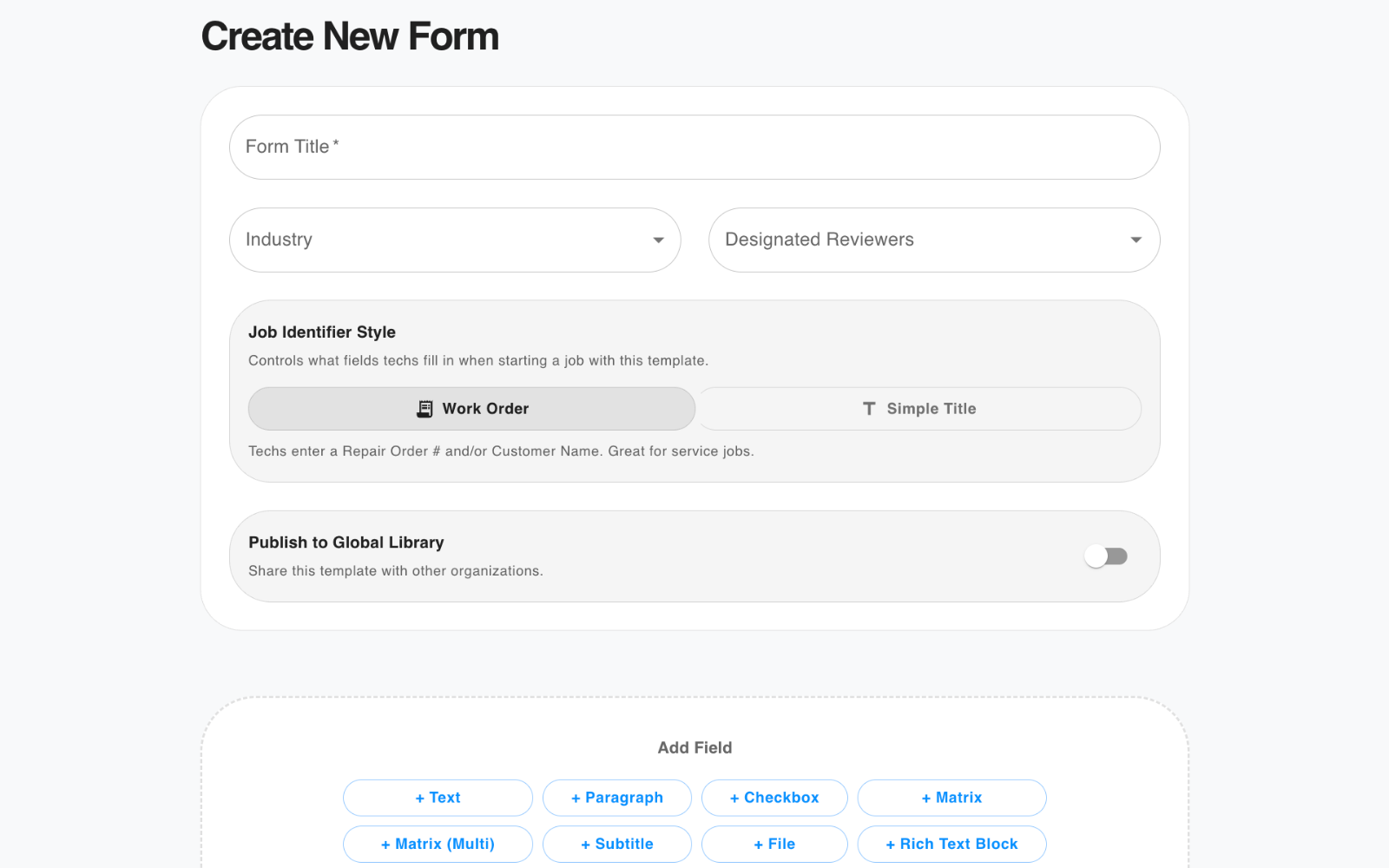
Every dealership runs differently. Drag and drop fields to build inspection sheets, intake forms, and checklists that fit your exact process — no coding required.

  • Text, paragraph, checkbox, matrix, file upload fields and more
  • Designated reviewers assigned per form
  • Create customer/unit specific forms with Rich Text field
  • Duplicate your own forms for modification or restructuring
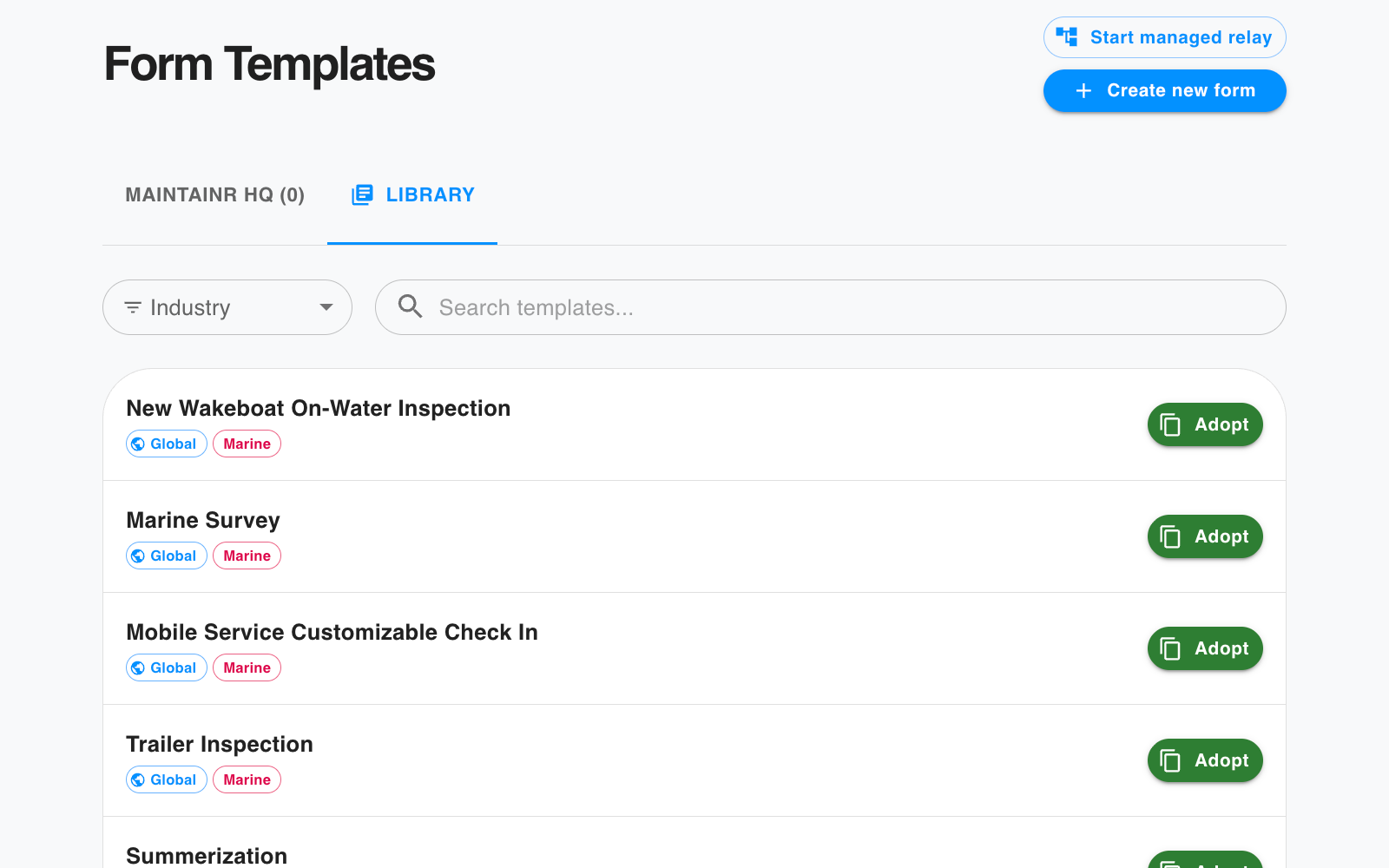
Global Library
2
Global Library

Adopt from a shared library of dealer-built forms.

Don't start from scratch. Browse forms built and shared by other dealers (i.e. winterization checklists, intake inspections, quality control forms) and deploy them to your team in one click.

  • Ready-to-use forms from day one
  • Copy any form to your library and customize
  • Contribute your own forms back to the community
  • Searchable and organized by industry
Start a Job
3
Starting a Job

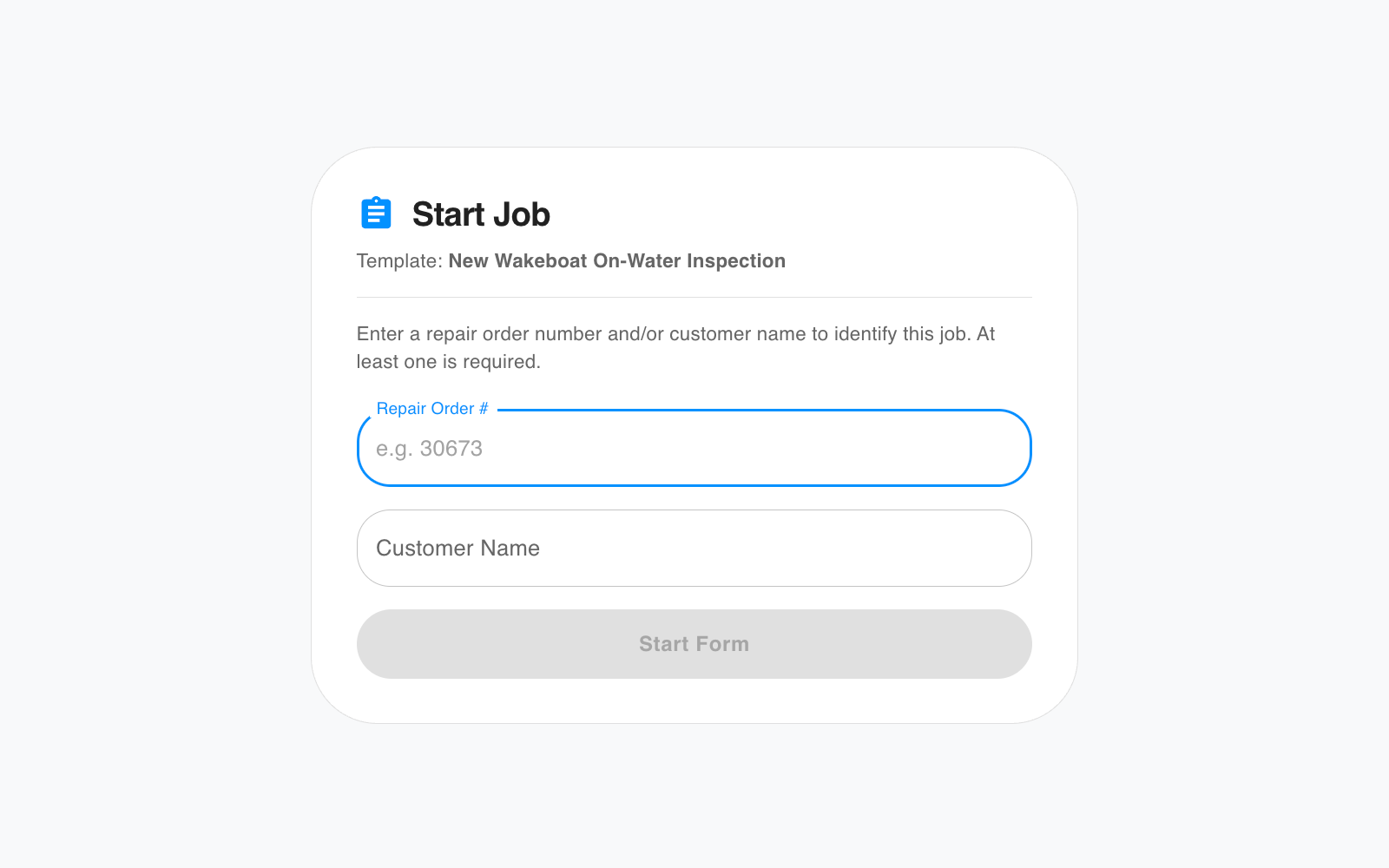
Every job gets a name. Nothing gets lost.

When a tech starts a form, they give the job a unique identifier. Choose between repair order style (repair order number and customer name) or free form to match the forms you build perfectly. That label follows the job through every step, making it easy to find later.

  • Job identifier tied to every submission
  • Drafts saved automatically — resume anytime
  • Visible to the whole team in the jobs list
Fill in the Field on iOS
4
In the Field

Built for the shop floor, not the front desk.

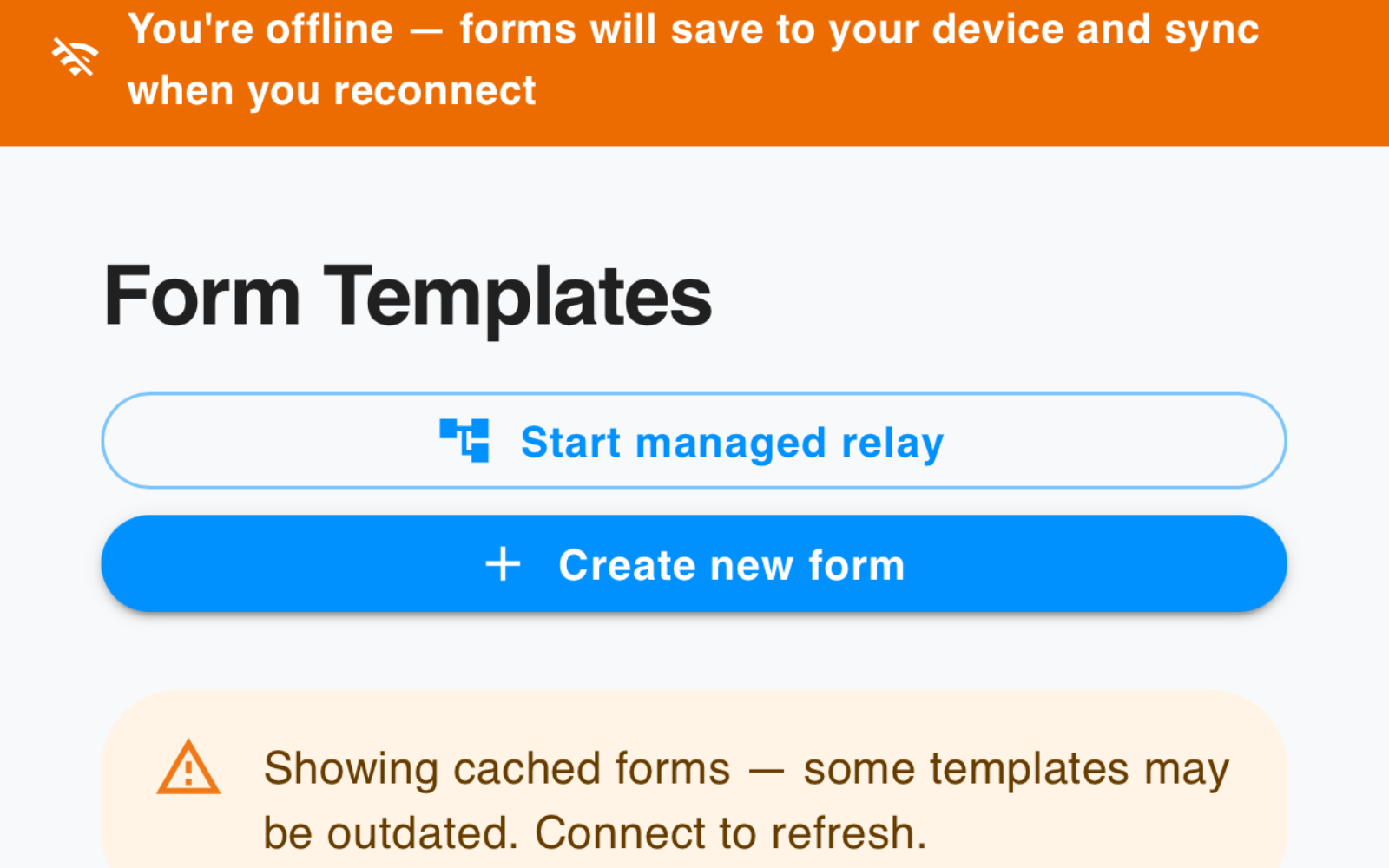
Technicians fill forms on iPhone — in the bay, at the dock, wherever the work happens. If they lose signal, the form keeps working. Data syncs automatically the moment they're back online.

  • Native iOS app — fast, reliable, offline-capable
  • Save and exit — pick up where you left off on any device
  • Attach photos, PDFs, and diagnostic files directly to forms
  • Cross-device sync — start on phone, finish on computer
Upsell Capture
5
Upsell Capture

Every opportunity documented at the point of discovery.

Structured intake and inspection forms ensure every detail is documented and no opportunity is missed. When something needs attention, it's captured right away — before the customer leaves.

  • Required fields enforce complete documentation
  • Advisors see flagged items at all the right times
  • Leave nothing to memory or verbal handoffs
Review and Approval
6
Review & Approval

Forms route to the right person automatically.

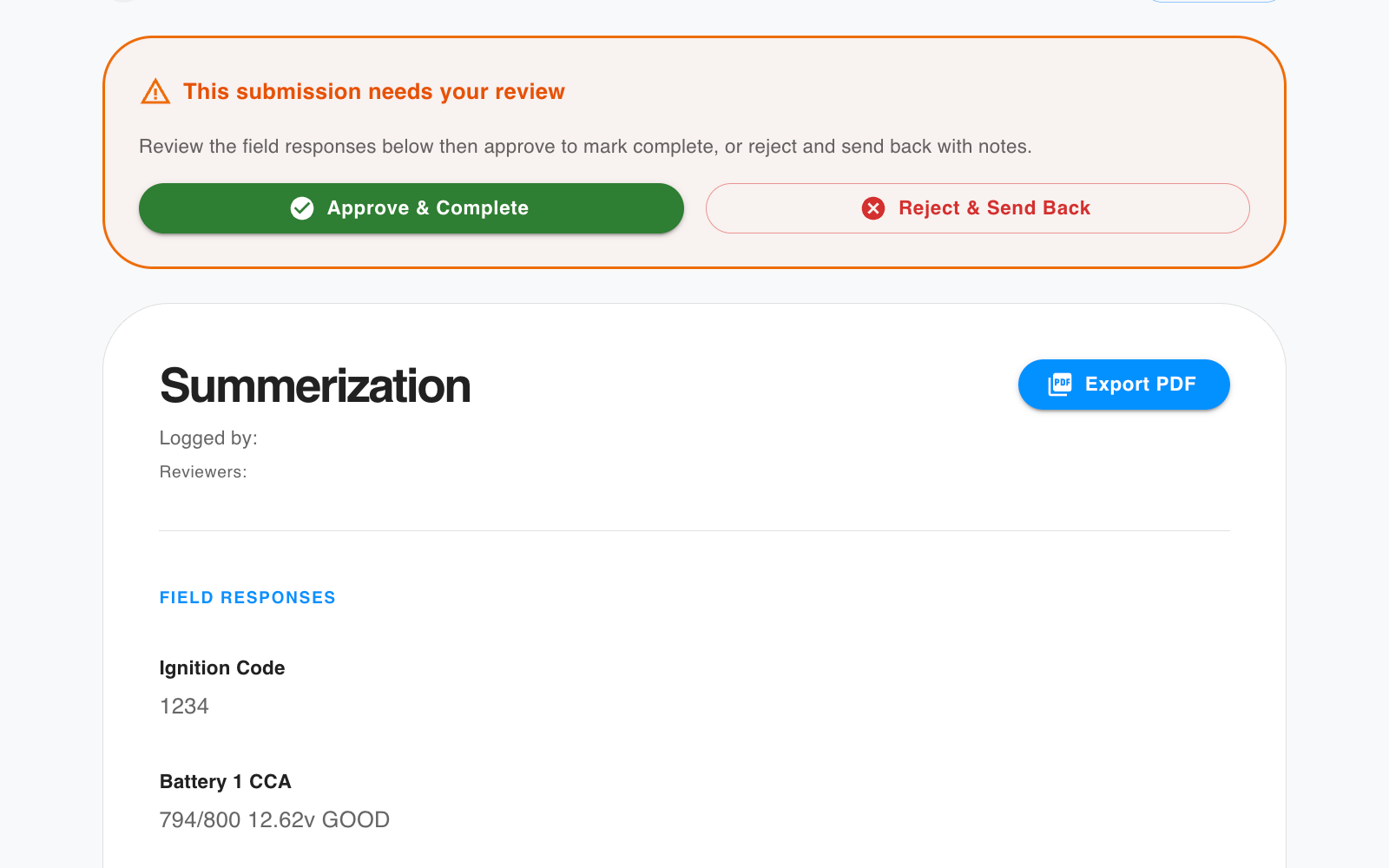
When any employee presses submit, the form goes directly to the designated reviewer(s) to review field responses, approve to mark complete, or send back with notes for corrections. Full accountability at every step.

  • Designated reviewers per form template
  • Approve & complete or reject & send back with notes
  • Email notifications keep everyone in the loop
Relay Workflows
7
Relay Workflows

Some jobs need more than one person.

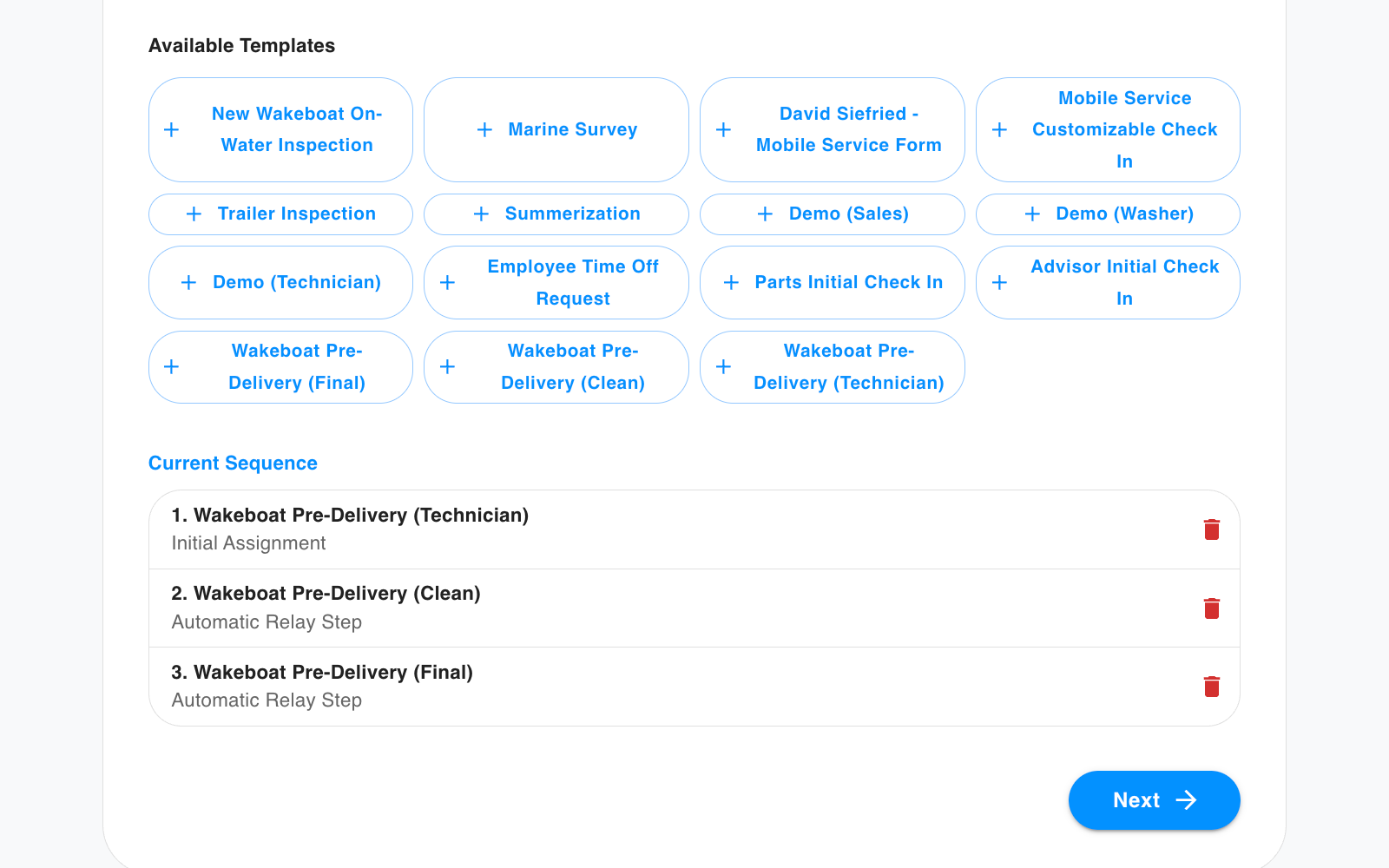
Relay forms pass a job from employee to employee in the sequence you choose — each person completing their step before it's assigned to the next. Every handoff is tracked, every sign-off recorded, nothing falling through the cracks.

  • Multi-step workflows across any number of team members
  • Visual progress tracker shows exactly where a job stands
  • Automatic notifications at each handoff
Service Bulletins and Recalls
8
Bulletins & Recalls BETA

Active recalls matched automatically on intake.

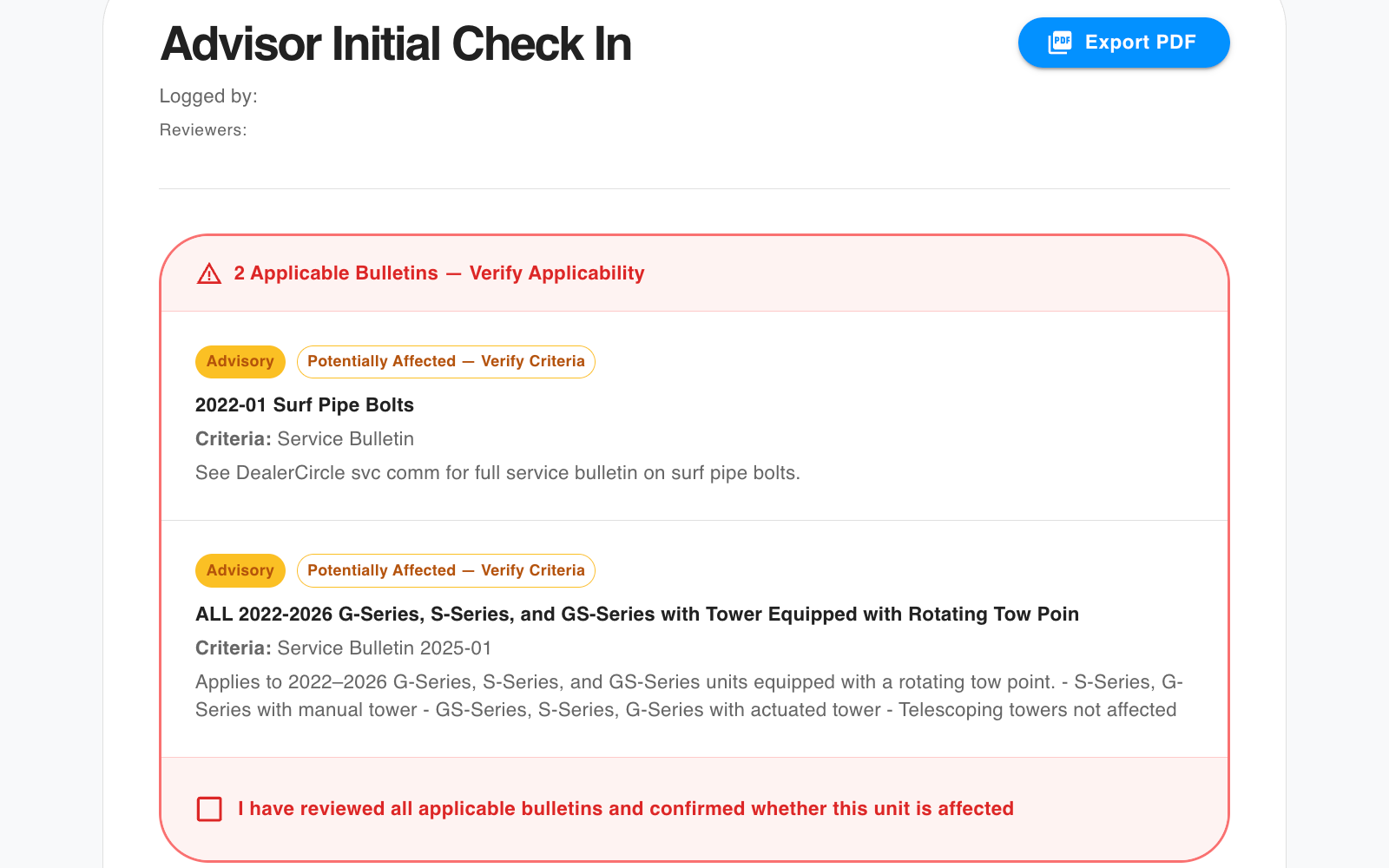
When a technician logs unit and engine information, Maintainr automatically checks it against active manufacturer service bulletins and recalls. When a match is found, your team knows right away.

  • Matches by make, model, year, and engine serial range
  • Severity badges — advisory, bulletin, or recall
  • Reviewer acknowledgement required before approval
Generated PDF Report
9
PDF Reports

Every completed job. Permanently on record.

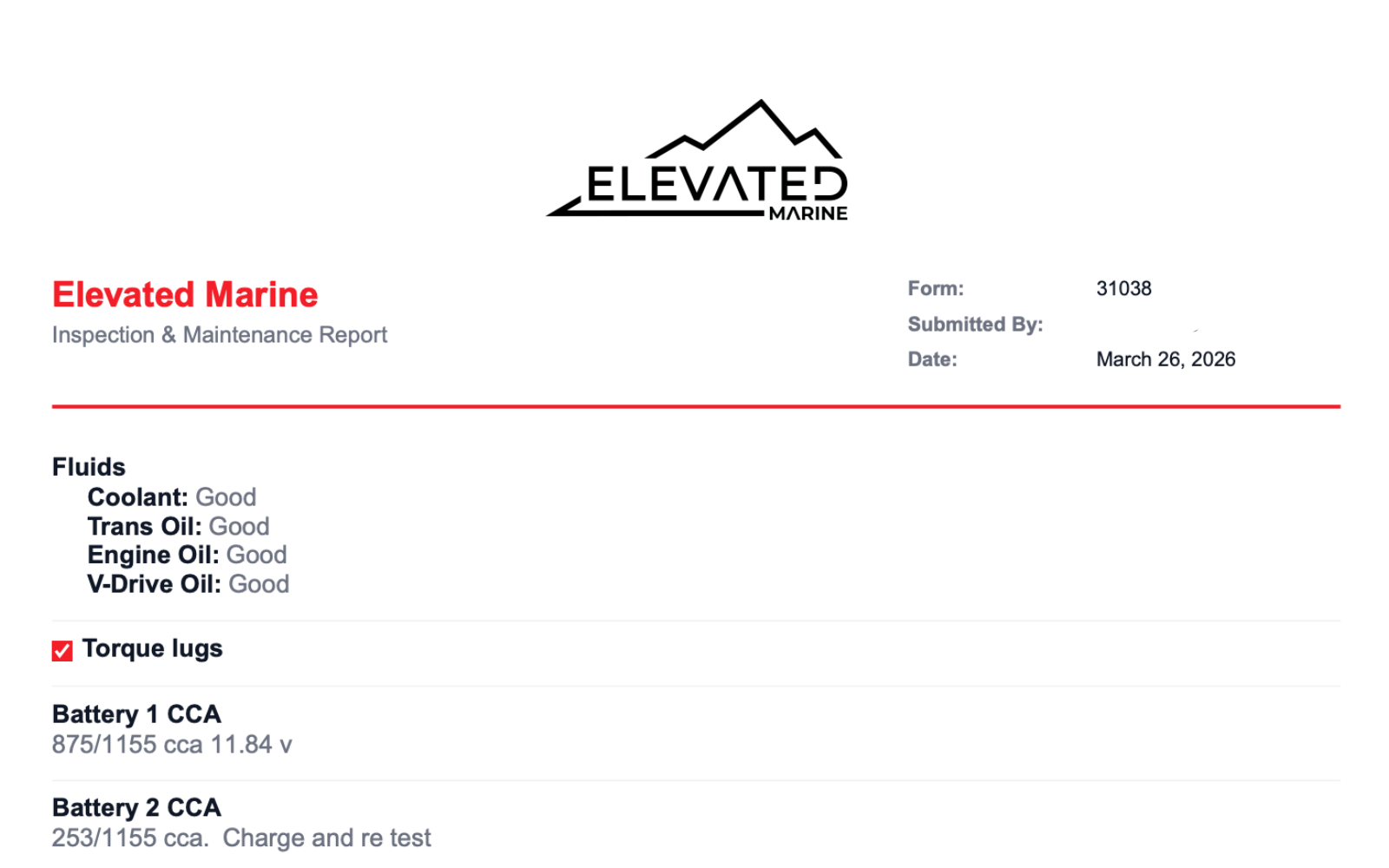
Every completed job generates a clean, branded PDF report with all field responses. Email it to the customer, keep it on file, or export it for your records. Documentation done, every submission.

  • Branded with your dealership name and logo
  • Includes all field responses
  • Bulletin and recall sections included when applicable

Ready to see it in your shop?

We'll walk you through the platform and get your team live — usually within 48 hours.

Request a Demo View Pricing